AI reply drafts, written
in your own words
Replai learns your style from emails you choose to share, then writes full reply drafts - saved straight into your Gmail or Outlook Drafts folder - that match your tone, length, and sign-off.
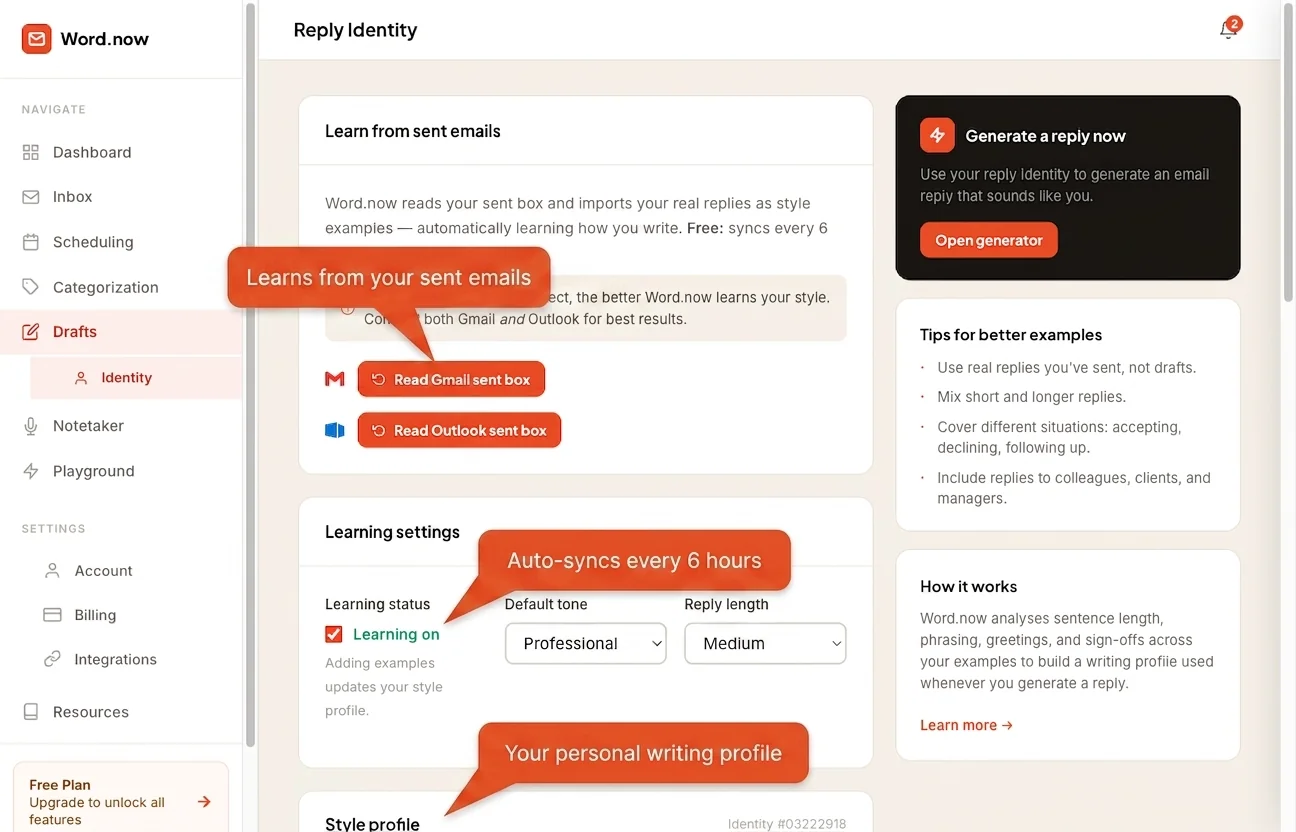
What reply drafts do for your inbox
Learns your voice
Connect Gmail or Outlook and Replai learns from emails you choose to share, building a reply identity - your tone, formality, warmth, and typical sign-offs.
Saved straight to your inbox
Every draft lands in your Gmail Drafts or Outlook Drafts folder. Open your email, tweak if you like, and send - no copy-pasting.
Add your own examples
Share specific emails you're proud of as style examples. Replai weights these heavily, so your most distinctive phrases and structures show up in every draft.
Works for Gmail and Outlook
One reply identity covers both providers. Reply via Gmail or Outlook and the tone stays consistent - and sounds like you.
Regenerate any time
Add more examples, drop the weak ones, and rebuild your style profile whenever your writing changes. Replai adapts with you.
Replies in context
Drafting from your inbox, Replai reads the full thread before writing - so the reply answers what was actually said, not a generic summary.
Your voice, not a chatbot's
Most AI email tools write replies that are obviously machine-made - formal, verbose, stilted. Replai builds a personal reply identity from emails you choose to share, so every draft matches your real voice.
It captures your formality, warmth, directness, sentence length, and the specific phrases and sign-offs you reach for.
- Reads up to 50 sent emails to build your profile
- Scores formality, warmth, and directness on 0–100 scales
- Captures your typical sign-off phrases
- You can edit, add, or delete training examples
Draft a reply right now - no account needed
Paste any email into the free reply generator and get a complete draft back in seconds. No sign-up, no inbox access, no card.
Ready to connect your inbox and save drafts straight to Gmail or Outlook? Create an account and link your email provider.
- Free tool: 10 drafts per day, no account required
- Free account: AI inbox triage + 200 drafts/day
- Pro: priority-speed drafts + full scheduling features via the AI scheduling assistant
- Compare all plans →
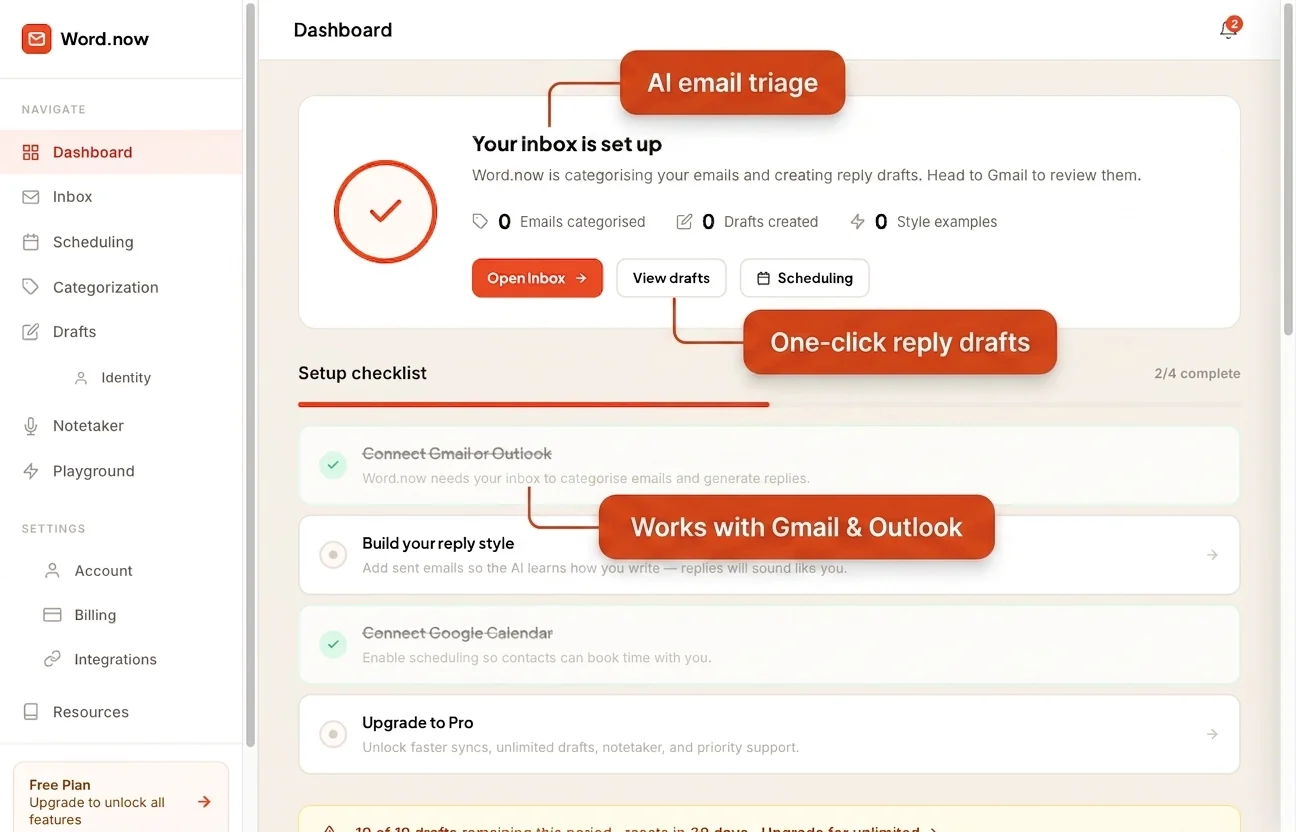
AI reply draft questions
How AI reply drafts work
-
1
Connect Gmail or Outlook
Replai learns from emails you choose to share - typically 5 to 10 recent ones. It reads your vocabulary, sentence length, how you open and close, and the formality you use with different contacts. Nothing is stored beyond the analysis.
-
2
Replai builds your reply identity
The whole thing takes under 60 seconds. Replai captures your formality, typical email length, the phrases you reach for, the ones you avoid, and your signature style. That profile shapes every draft from then on - not a generic template.
-
3
Open draft replies in your Drafts folder
When an email needs a reply, Replai writes a draft in your voice and saves it straight to your Gmail or Outlook Drafts folder. No separate app, no copy-pasting - just a ready-to-send reply waiting where you already work.
Your inbox, answered in your own words.
Connect Gmail or Outlook and get drafts in seconds. Free forever, no card needed.