Replai Scheduling - share a link,
kill the back-and-forth
One personal booking link shows your real availability, blocks the time on your calendar automatically, and lets AI draft your scheduling emails - so you stop trading "does Tuesday work?" messages.
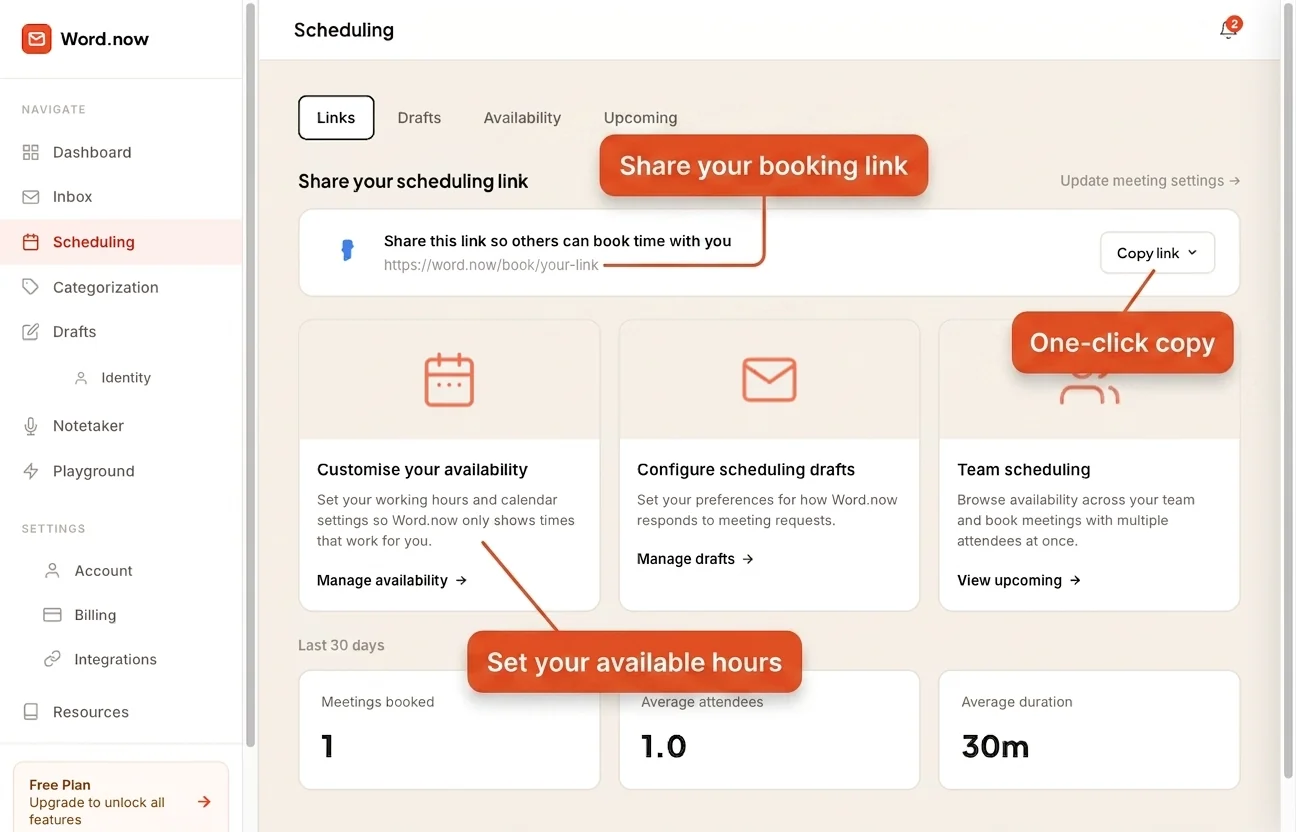
How Replai Scheduling works
Connect your calendar
Link Google Calendar, Outlook Calendar, or both. Replai reads your real availability - no manual blocking.
Set your hours
Drag to pick the days and times you take meetings. Set minimum notice and default duration.
Share your link
Drop your booking link into any email, or park it in your signature for good.
Meeting added automatically
When someone books, the event lands in your Google and/or Outlook Calendar and both sides get a confirmation email.
Everything included in Replai Scheduling
Your personal booking link
A clean public URL, unique to you. Share it in email, Slack, your LinkedIn bio, or your signature - anyone can book, no account needed.
Google Calendar + Outlook Calendar
Connect one or both. Every booking writes an event to every connected calendar, so you're never double-booked. Works alongside the AI Gmail assistant and AI Outlook assistant.
AI scheduling email drafts
Paste a meeting request into scheduling assist. Replai checks your availability and drafts a clean "here are my open times" reply. It pairs with AI reply drafts that handle the rest of your inbox in your reply identity.
Availability, your way
Set different hours for each day with a drag-and-drop grid. Add a minimum notice window (say, 2 hours) so a same-day booking never catches you off guard.
Collect booker contacts
Optionally ask for a phone or WhatsApp number when someone books. Handy for client calls where you may need to reach them outside email.
Automatic confirmations
When someone books, both the booker and the host get a confirmation email with the meeting details. No manual follow-up.
Never double-booked - across both calendars
Use Google Calendar for personal life and Outlook for work? Replai reads availability from both before it shows anyone an open slot.
Once a booking is confirmed, the event writes to every connected calendar - so every system stays current with zero copy-paste.
- Connect Google Calendar, Outlook Calendar, or both
- Real-time availability check before any slot shows
- Event written to every connected calendar on confirmation
- Attendee invite emails sent automatically
Scheduling questions
Get your booking link in 2 minutes.
Connect your calendar, set your hours, share your link - free forever.